What's new.
A release every week — features your guests and your team feel. Click any feature to read how it works in the manual.
Your AI starts answering guests
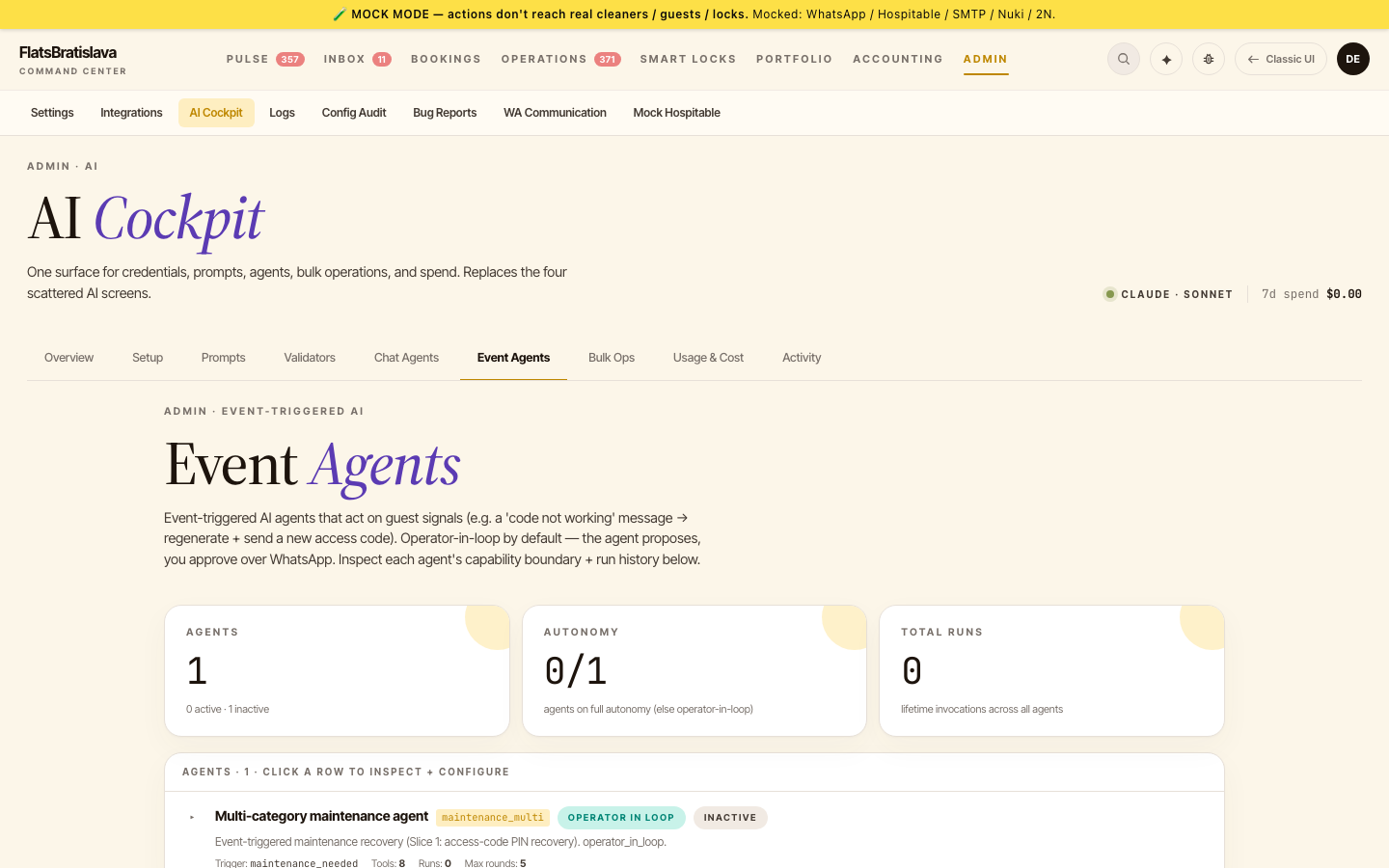
Until now your assistant waited to be asked. This week it starts reacting on its own — a guest says the door code doesn't work and a fix is already proposed before you've read the message. Your cleaners get a smoother app, and stays that stretch stop confusing your schedule.
🤖 Agents that react to guest signals →
Set up an assistant that watches for real guest trouble — a door code that won't open, no WiFi, a flat lock battery, a parking question — and prepares the recovery itself. You approve over WhatsApp by default, and you can hand any agent full autonomy once you trust it.
🧹 A calmer cleaning walkthrough →
Cleaners can now fire off several photos in a row instead of waiting between shots, or upload the whole set at the end of the clean. The session lasts until the job is actually done, resumes straight where it stopped instead of starting over, and there's a one-tap reason for "the guest left no cash".
💬 Approve with a tap, ask with a photo →
The Copilot now offers real buttons when it needs your decision — no more typing "yes" to confirm. And you can send it a photo, so a picture of a receipt, a broken tap or a meter reading is enough to get an answer.
🛏 Stays that stretch stay one stay →
When a guest extends, back-to-back nights are treated as a single stay. No phantom checkout, no cleaning crew sent in the middle of someone's holiday — the turnover lands on the real departure day.
📦 One place to say what a stay consumes →
Define consumption once on the item itself and tie it to a cleaning checklist category. Stock drops as the work actually happens, and there's no second definition to keep in sync.
🔐 Smart locks connect in one step →
Enter your lock account once for the whole portfolio, then pick each apartment's lock by name from a list we fetch for you. No more copying identifiers between screens or retyping the same credentials per property.
Take the booking yourself
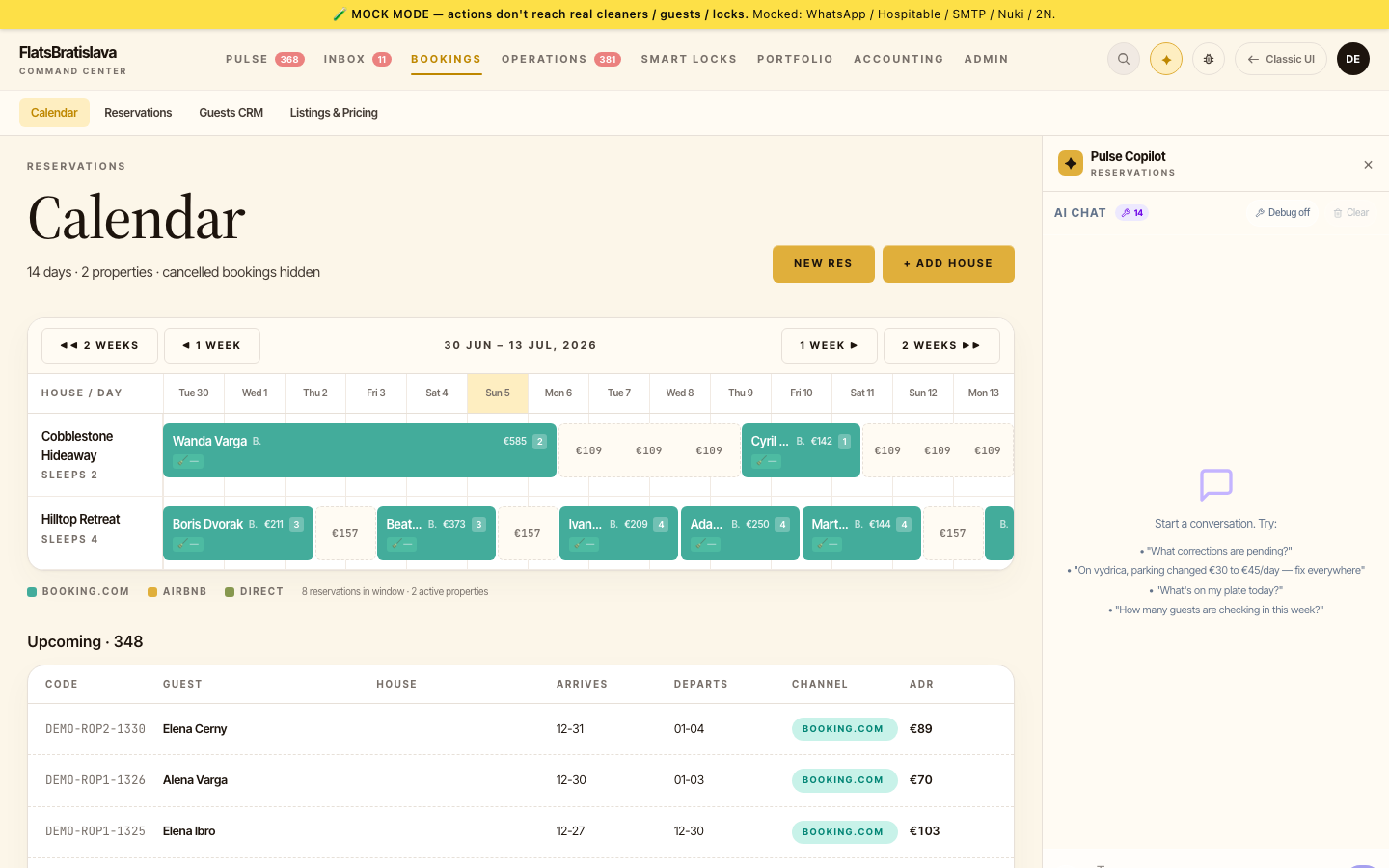
The biggest week of the summer: direct bookings arrive end to end. Take a reservation yourself — no platform, no commission — and the rest of your setup keeps up automatically.
🏷 Direct bookings, end to end →
Select free dates on the calendar or start from a guest conversation, and create a booking in-app. Availability blocks across your connected channels instantly, deposits and partial payments live in a proper ledger, invoices come out with real numbers, and cancel or modify re-opens the dates everywhere.
🧭 Get on Booking.com, guided →
A step-by-step onboarding wizard walks a new property through the full channel setup — an in-app checklist with deep links for the few steps only you can click. No more tab-juggling between help articles.
🚨 Blocked messages, actionable from WhatsApp →
When an automated send is held back, the alert now tells you exactly why — and carries Dismiss / Send / Refine buttons right in WhatsApp. Resolve it from your pocket without opening the app.
📸 City-tax photos, double-checked →
When a cash-count photo doesn't match the expected amount, a second independent recount re-reads the same photo — and payment rows now warn whenever recorded ≠ expected, with a one-tap accepted-variance state.
💶 Payout periods that start where the last one ended →
The payout report now prefills FROM to the day after the teammate's last settlement — no more overlapping already-paid items or silently losing unpaid ones from last month.
🔌 One Integrations home per property →
Provider connections and channel-sync switches now live on a single per-property Integrations screen — one place to see what's connected and what's syncing.
Your calendar, fully in your hands
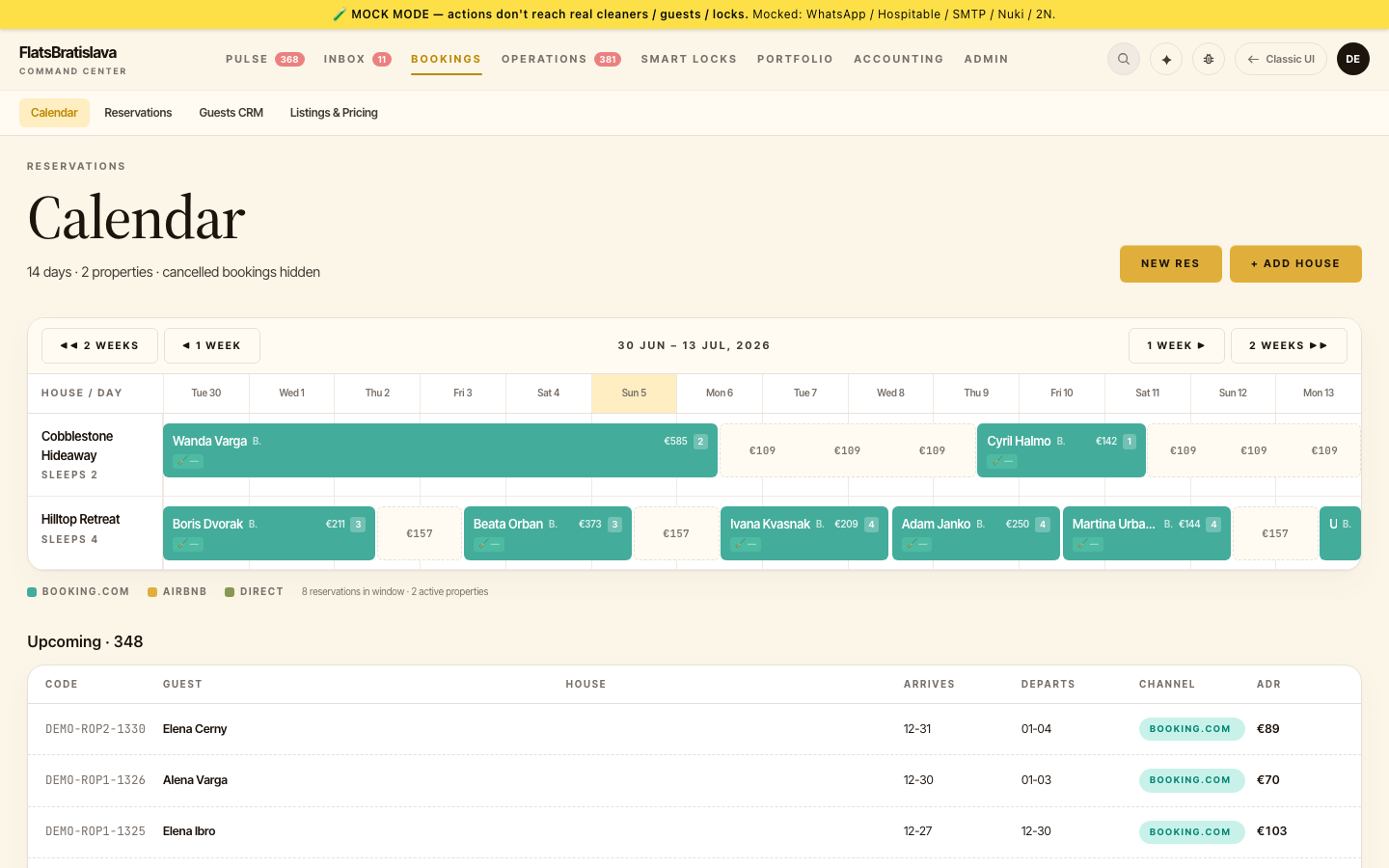
Pricing and availability now live where you look every day — plus notifications that reach your desktop and an FAQ library that polishes itself.
📅 Edit availability right on the calendar →
Set or remove a price for any date, block dates, take a direct reservation, switch the pricing model, override fees and note special requests — six editing powers, straight on the availability calendar. No side screens, no spreadsheets.
🔔 Push notifications on your desktop →
Opt in once and important events land in your Mac's Notification Center even when the app is in the background — with per-category preferences so you decide what's worth a ping.
🚨 Alerts that don't give up →
When an automated send stays blocked, the alert now repeats every 30 minutes until someone resolves it — a single missed ping can no longer become a missed guest message.
📱 The booking timeline, now on mobile →
The check-in/check-out timeline you know from the desktop calendar arrived on the mobile dashboard — see arrivals, departures and gaps at a glance from your pocket.
🧠 An FAQ library that improves itself →
The FAQ editor gained "Improve with AI" and "Suggest by AI" buttons, and your whole FAQ library now speaks one language — existing entries were translated so guests always get consistent answers.
🧹 Cleaner access, your policy →
Choose per workspace how cleaners open their app: OTP-protected (default) or a shareable code-free link for teams that prefer zero friction.
Your lock, your choice
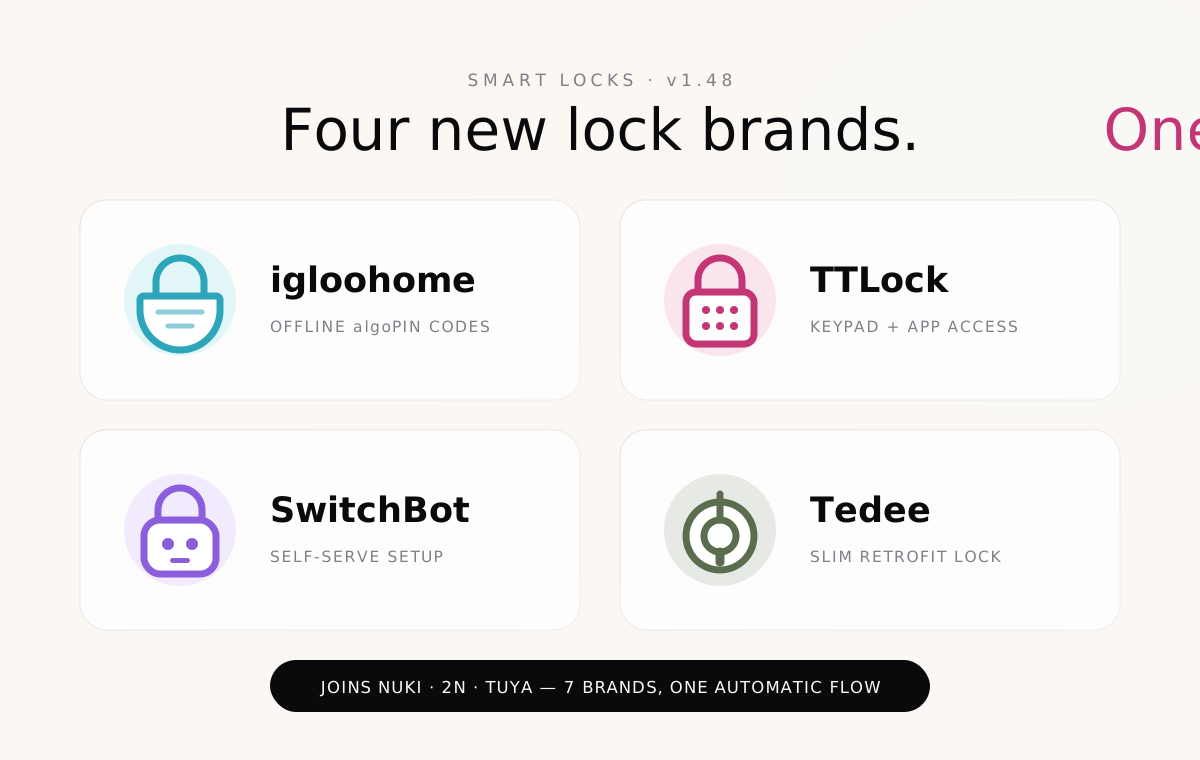
Four new smart-lock brands join the family. Whatever hardware is on your door, guest access now works the same way — automatically.
🔐 igloohome, TTLock, SwitchBot & Tedee →
Connect locks from four more brands and get the full treatment on every one: automatic guest codes, expiry windows, one-tap revoke, and a live activity log. Same flow whether your door runs Nuki, 2N, Tuya — or any of the new four.
⏱ Offline codes that just work →
igloohome's algoPIN generates time-limited PINs even when the lock has no internet connection. Perfect for cellars, garages, and thick-walled old-town buildings.
🧹 A calmer task dashboard →
Automated tasks that are no longer needed can now be dismissed in one tap, and day-to-day cards keep editing where it belongs — your agenda stays an agenda.
The Copilot asks first
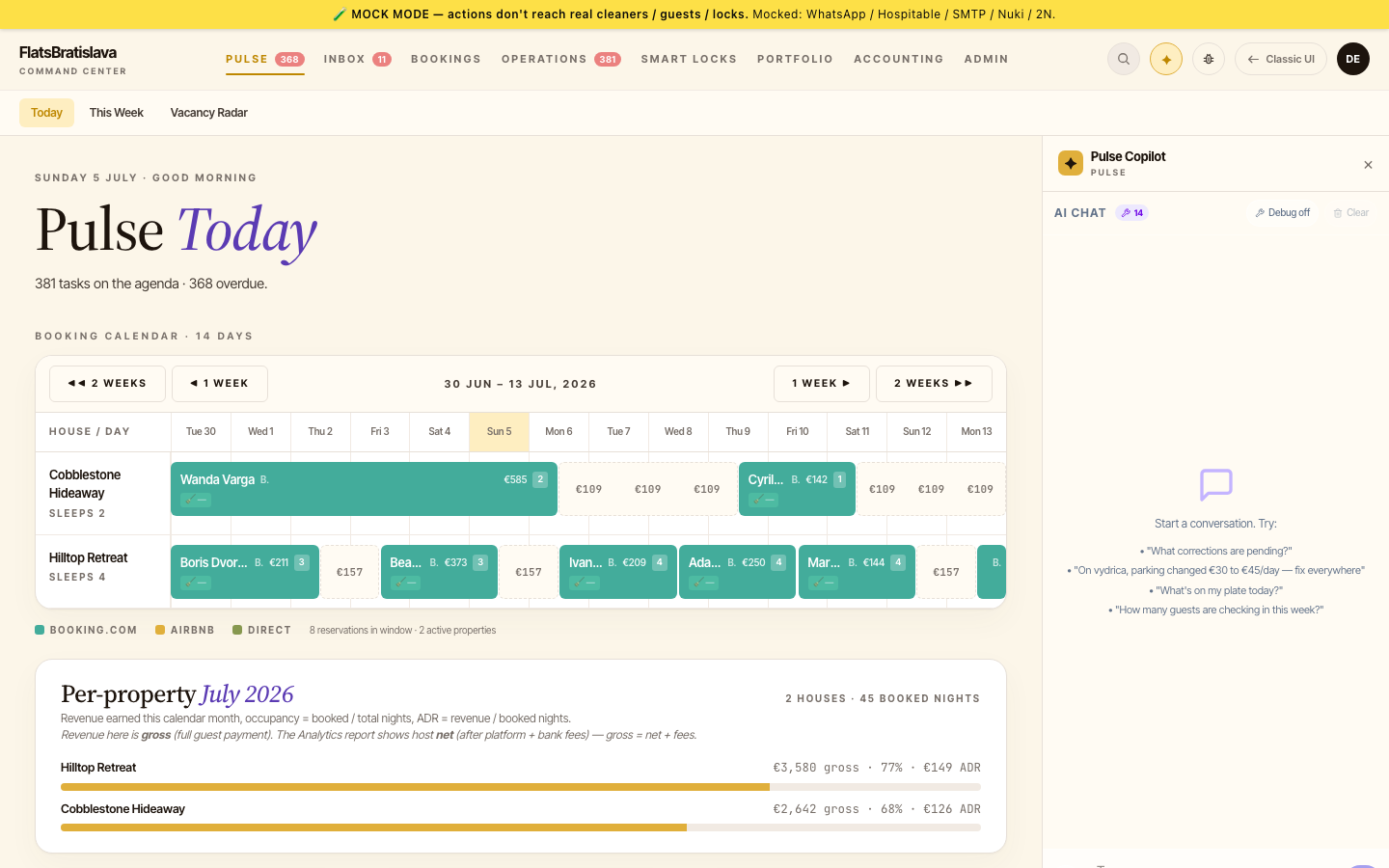
Big week for trust and reach: the AI Copilot now confirms every change before making it, speaks to every corner of your workspace, and your channel manager syncs both ways.
🛑 Copilot confirms before it changes anything →
Ask the Copilot to update a price, edit a template, or reassign a task — and it shows you exactly what it's about to change, waiting for your yes. You stay the boss; the AI stays the assistant.
🧭 One Copilot for everything →
Message templates, email settings, pricing, FAQs — the Copilot can now read and (with your confirmation) manage all of it. One chat box instead of five admin screens.
🔄 Two-way channel sync with Beds24 →
Rates, availability and content now push from the platform to Beds24 — not just in. Update once, publish everywhere, and connect new properties with a built-in Test Connection + room mapping editor.
💶 Edit base prices right in the app →
Set base rates, weekend overrides and seasonal pricing per property without leaving your dashboard.
🖼 Supplies with product photos →
Every supply item gets a real product image — auto-fetched by name and sanity-checked by AI so your detergent never shows up as shampoo. Litres and kilograms are now first-class units, merged sensibly across brands.
🔒 A redesigned Smart Locks screen →
Multi-lock properties show every door at once, activity from all locks lands in one chronological feed, and charging history sits one tab away.
You approve every message
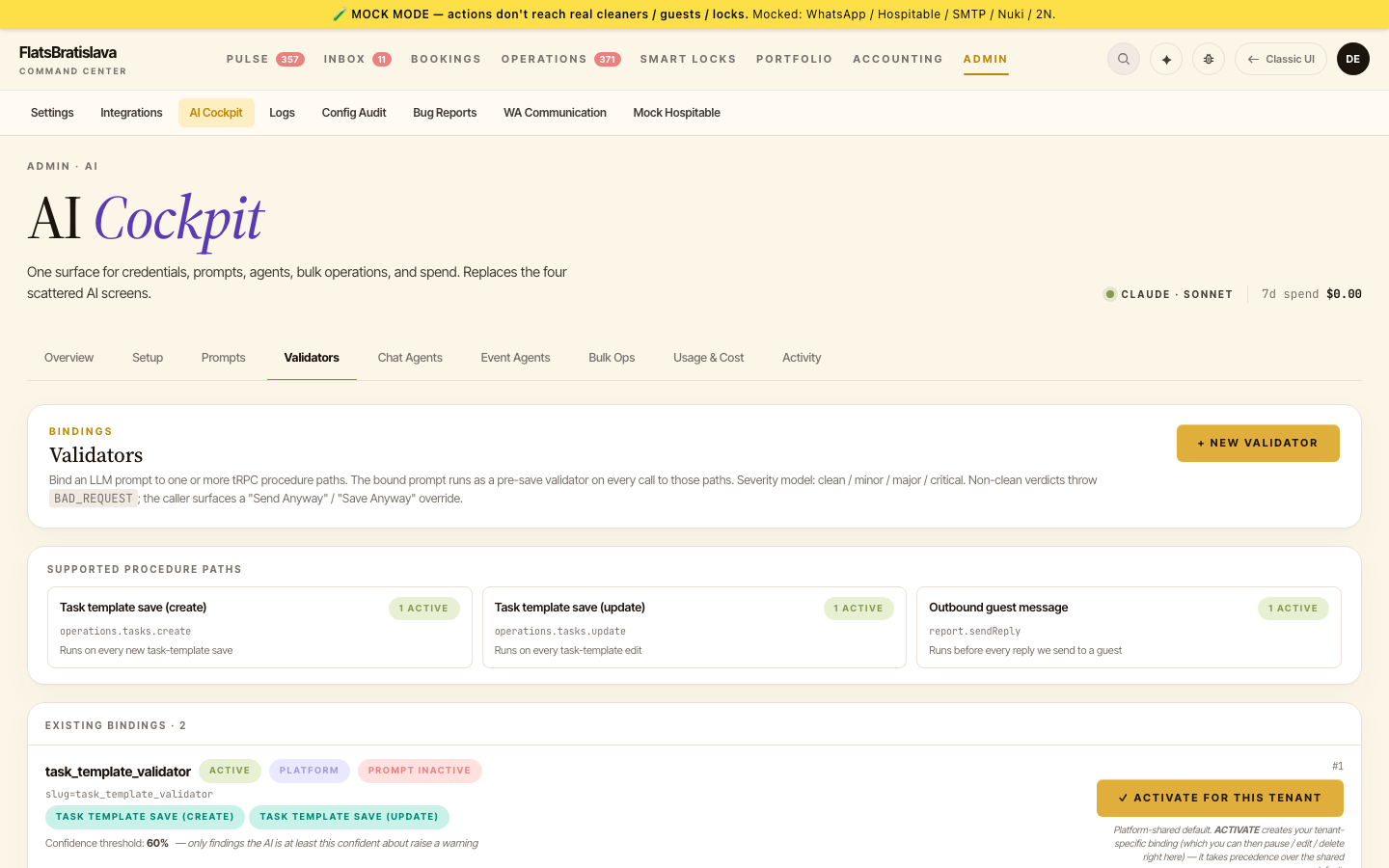
Guest messaging got a safety upgrade you control end-to-end: choose how strict the AI checks are, let the AI polish its own drafts, and see a full history of every decision.
🎚 Message checks, your strictness →
Every outbound message passes an AI quality check — and now you decide when it may interrupt: block everything questionable, only serious findings, or critical issues only. Per template, if you like.
🪄 Refine: the AI fixes its own draft →
When a message is held back, you now have a third option beyond Send Anyway and Dismiss: Refine. The AI rewrites the draft to address the finding and re-checks it — right from the app or straight from WhatsApp.
📋 Every send decision on the record →
Overrides and held messages are now fully logged — who approved what, when, and why — in a dedicated decisions view.
⏰ Approve a different check-in time →
Guest asks for 11:00 but the apartment is free from 13:00? Edit the time right on the early check-in card and approve — the guest gets the confirmed slot.
💰 Financials that reconcile at a glance →
Reservation financials now label gross vs. net and show channel commission, so the headline numbers finally add up without a calculator.
👤 Reassign without leaving the list →
Task cards got their assignee dropdown back, and checklist items can be reordered with a tap — small things, felt daily.
Supplies that manage themselves
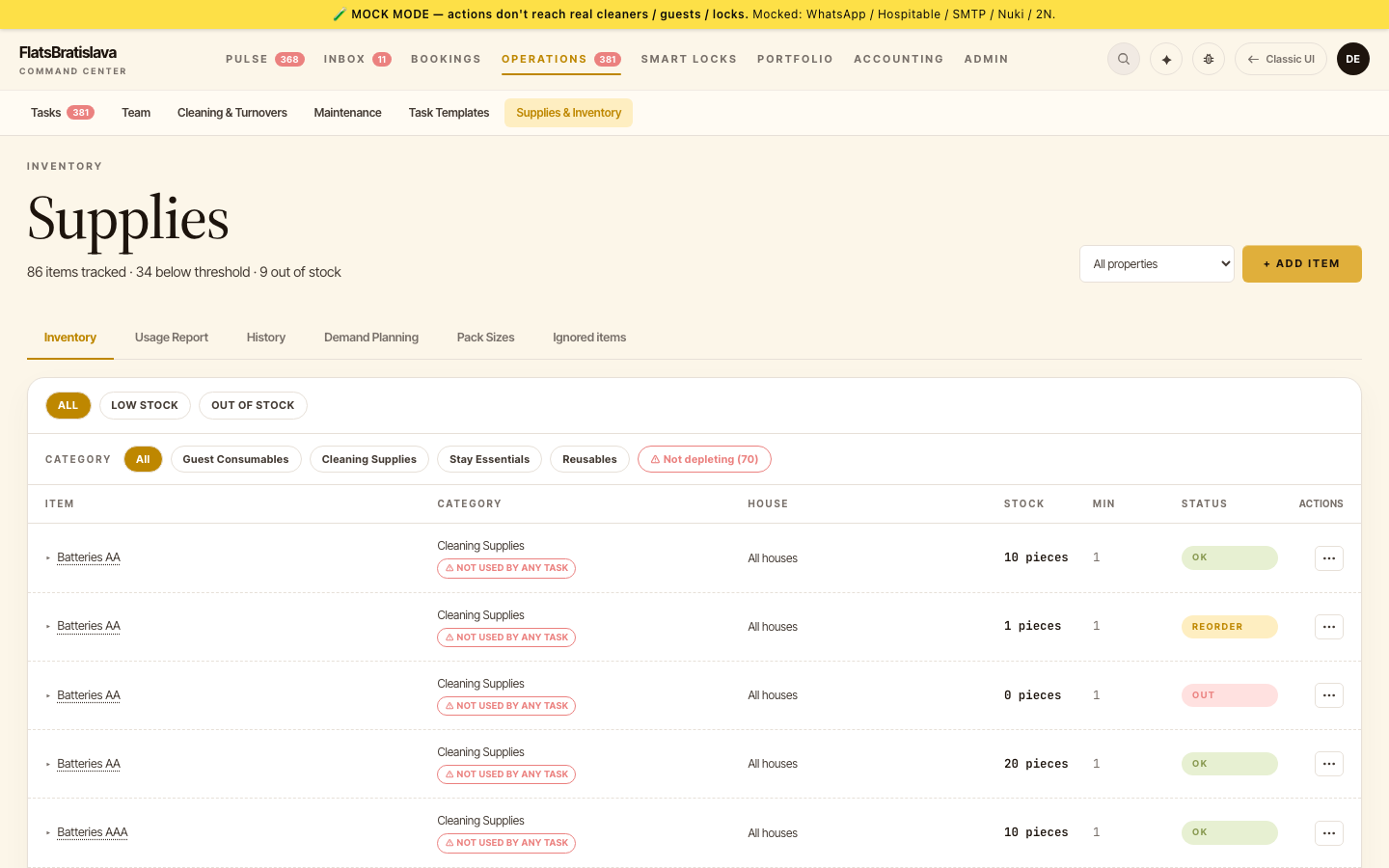
A week about control. Your inventory learns to organise itself, checklists grow real automation muscle, and you decide which AI engine runs your workspace.
📦 Supplies that sort themselves →
Every supply item now lands in one of four consumption categories — Guest Consumables, Cleaning Supplies, Stay Essentials, Reusables — with AI-corrected product names, an ignore list that keeps shopping bags out of your books, and a redesigned product table with one-click drawer editing.
✅ Checklists with superpowers →
One checklist tick can now fire several actions at once — create a follow-up task AND deduct supplies in the same step. Consumption counts in pieces or percentages ("20% of a bottle"), and checklist-created tasks define their own completion behaviour.
🤖 Choose your AI engine →
Pick the AI provider that fits your privacy and cost preferences — one toggle in Setup. And if a model is ever retired upstream, the platform switches to a current one automatically, so your automations never stop mid-season.
🎚 AI checks you can tune →
Message-quality checks now carry a confidence score and only speak up above your chosen threshold. Fewer false alarms, same safety net.
🏠 Message templates go per-property →
Check-in instructions belong to each home, not one global list. Edit the parking note for one apartment without touching the others.
📊 See where your AI spend goes →
Click any feature in the usage view and the whole cost dashboard filters to it — daily spend, trends, and usage windows for exactly that feature.
Your AI reads the manual
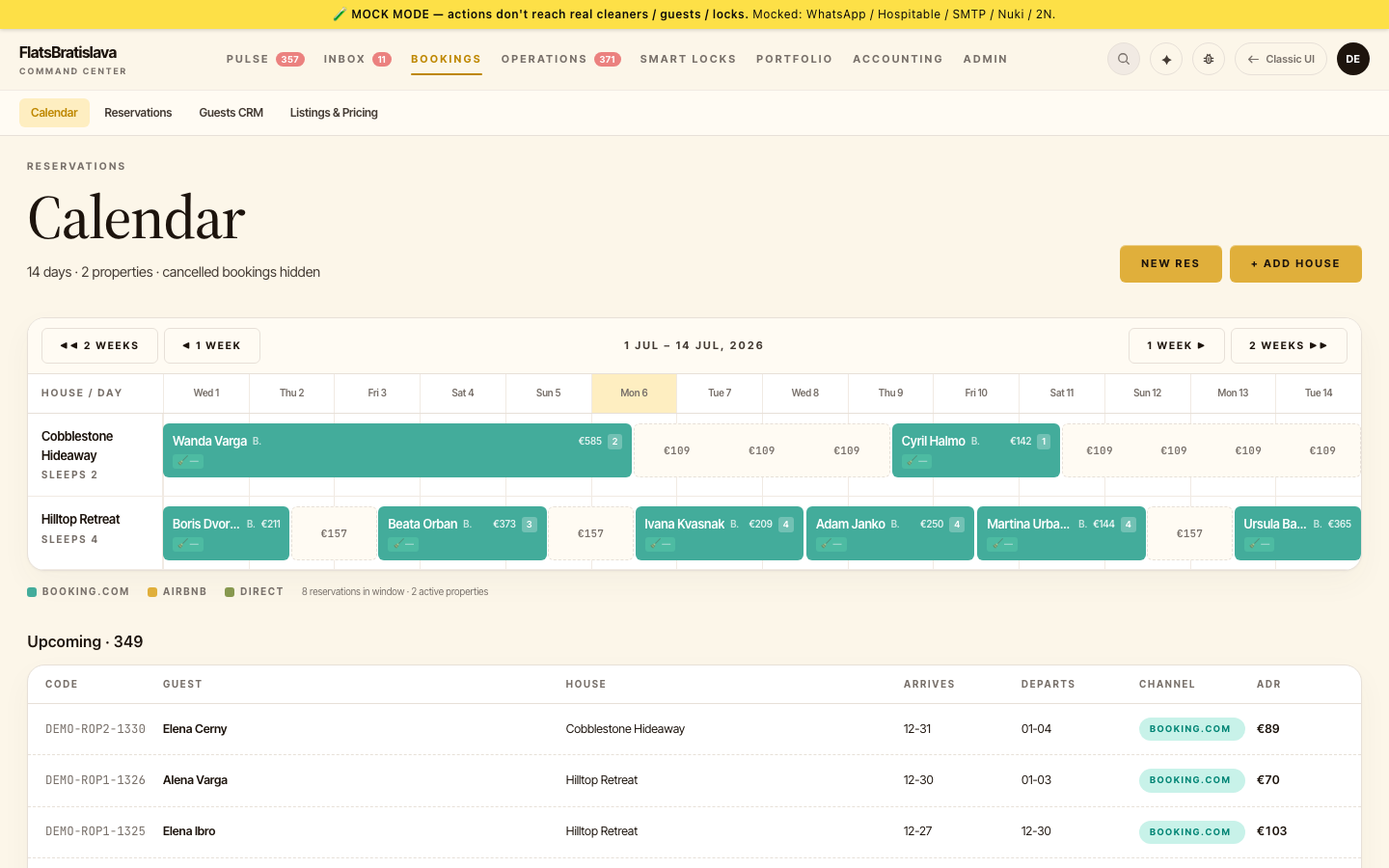
Upload your property manuals and the AI answers guest questions from your documentation — plus richer reservation context and supplies analytics.
📚 Grounded answers from your manuals →
Upload the air-conditioning guide, the dishwasher manual, the parking map — per property. When a guest asks "how do I turn on the AC?", the AI answers from the exact document you provided. No more confident guessing.
📈 Supply usage at a glance →
Click any inventory item for a pieces-remaining chart over time, and filter the full history by category. "How much detergent do we actually use per month?" is now a glance, not a spreadsheet.
🧾 Reservations tell the full story →
The reservation panel now shows booking discounts exactly as the platform granted them ("Promotion Discount −€54.40") and breaks guests down into adults, children, infants and pets — welcome packs sized right, every time.
🌍 WhatsApp threads in your language →
Team conversations translate to your preferred language automatically, with a clear "Translated to…" marker so nothing gets lost between languages.
🧹 Start a clean from WhatsApp →
Cleaners can start their walkthrough by simply texting — no waiting for the smart-lock to notice them, no admin needed.
📎 Paste images straight into replies →
Copy a photo, hit paste in the inbox composer, send. The screenshot you just took reaches the guest in three keystrokes.
Sign in with Google
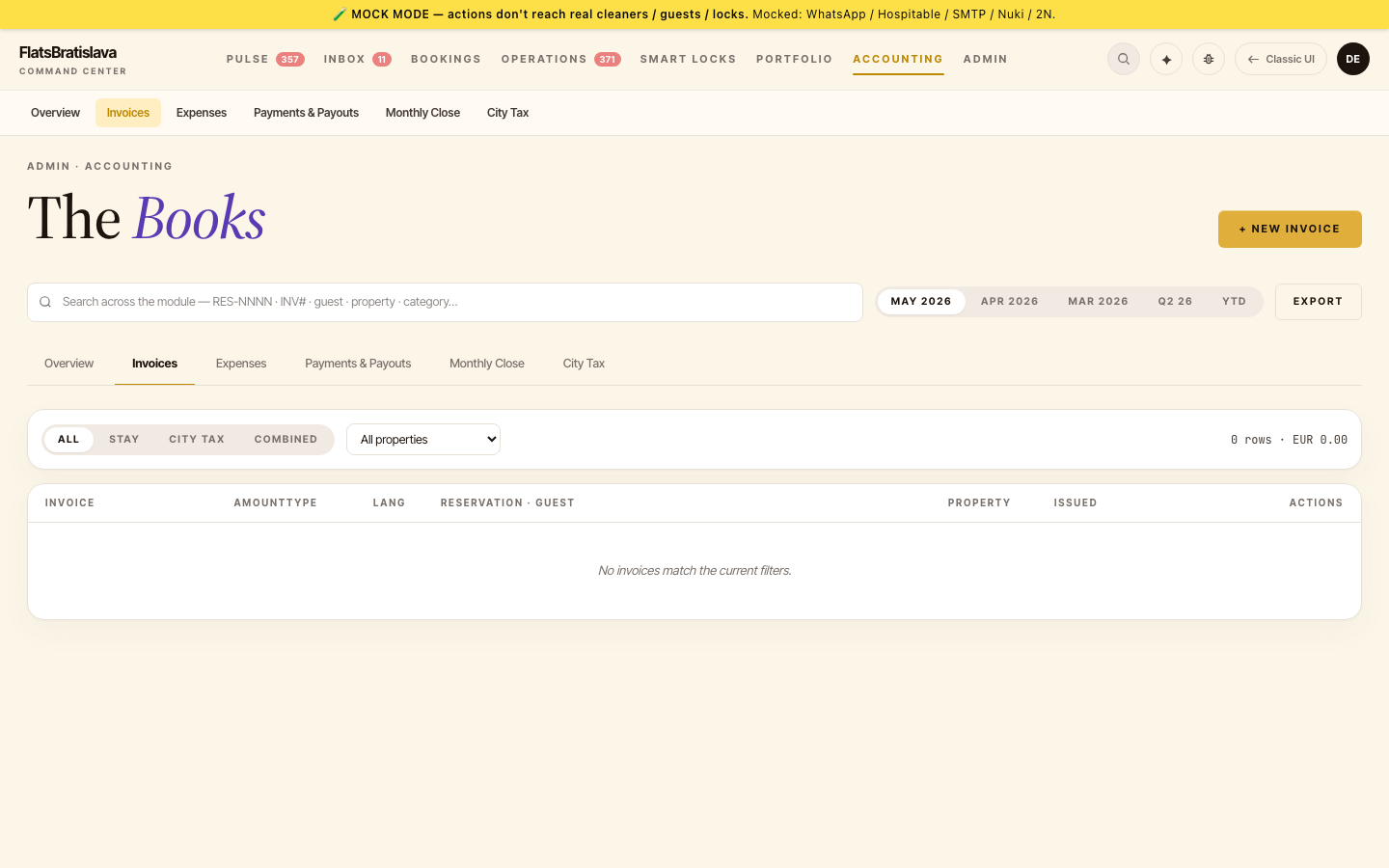
Simpler sign-in, smarter invoicing, and supplies you can finally filter.
🔑 Sign in with Google →
One click, no password to remember. Your workspace opens with the Google account you already use.
🧾 Invoices know their guest →
Generate-from-reservation now carries the guest's name, email and address into the invoice, and reservations that already have one show a link instead of tempting you to create a duplicate.
📦 Supplies, filtered and traceable →
Filter inventory by property, see who added what and where, and click any "Receipt:" entry to open the original document.
🤖 Tune your AI assistants →
Each AI assistant's behaviour is now configurable from the cockpit — instructions, response style and how much it may reason — with every change tracked.
💸 Know what your AI costs →
The cost dashboard now groups spending by conversation and shows what each request was about — transparency down to the single question.
Found a bug? One tap and it's ours
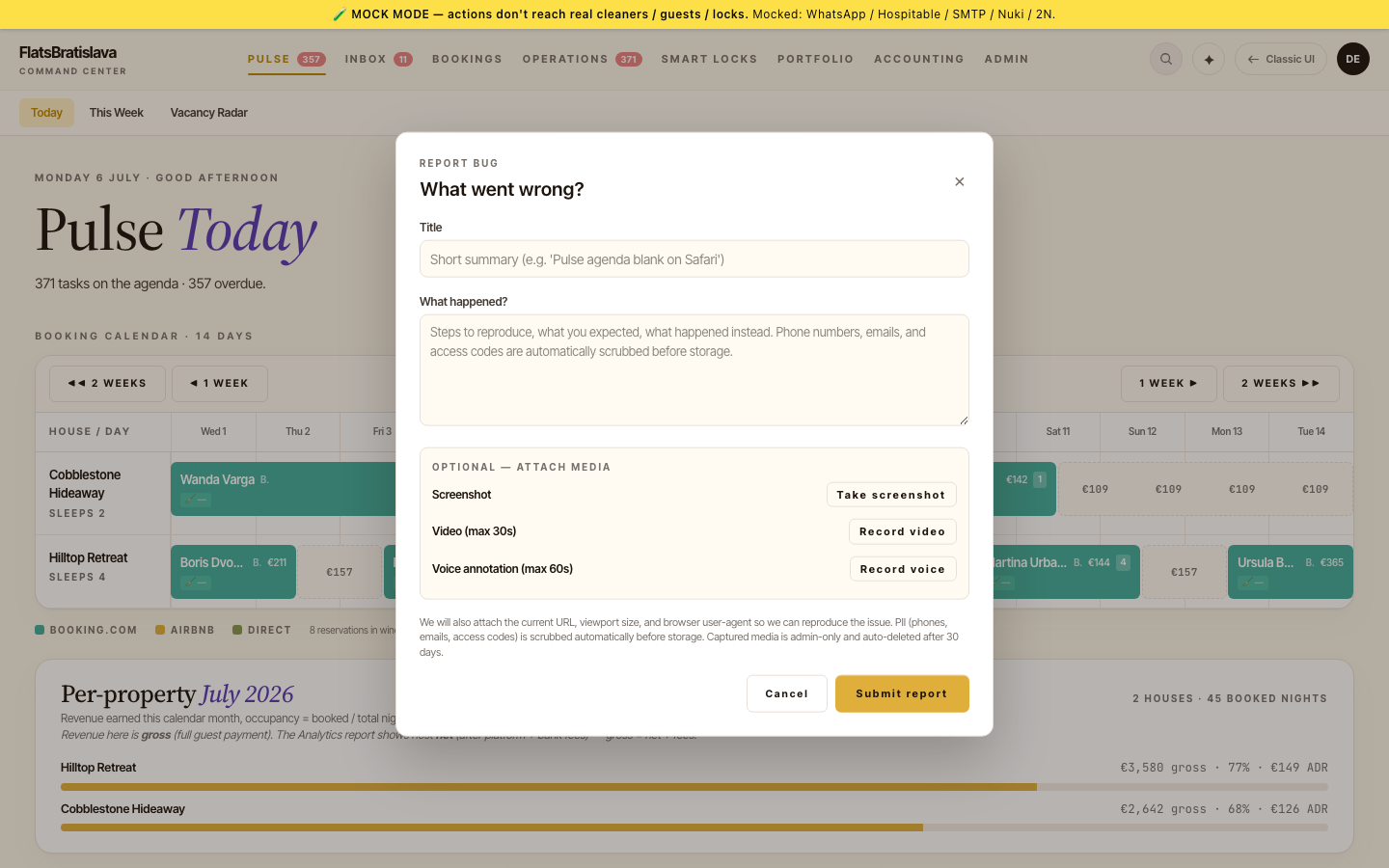
Report anything from anywhere in the app — and a few long-requested money features landed too.
🐛 In-app reports with screenshot, video & voice →
Spot something odd? Hit Report, grab a screenshot or a short screen recording, dictate what happened — done. Your report arrives with full context, so it gets acted on fast, without email ping-pong.
🔔 Notifications tuned per person →
WhatsApp notifications now follow each teammate's preferences instead of one global switch — with per-template overrides for the truly critical alerts. Holiday mode: one toggle.
📊 Management fees, your way →
Configure the management fee per property — percentage of gross, percentage of net, or a flat monthly amount — and see it flow through revenue reports, owner statements and payouts.
💶 Accounting overview, now live →
Pending payouts, the monthly bundle and city tax are real numbers on the overview — no more placeholders.
🗓 Clearer vacancy pricing →
Vacancy tooltips now separate what the guest sees from what hits your margin, so pricing decisions use the right number.
Find any conversation in seconds
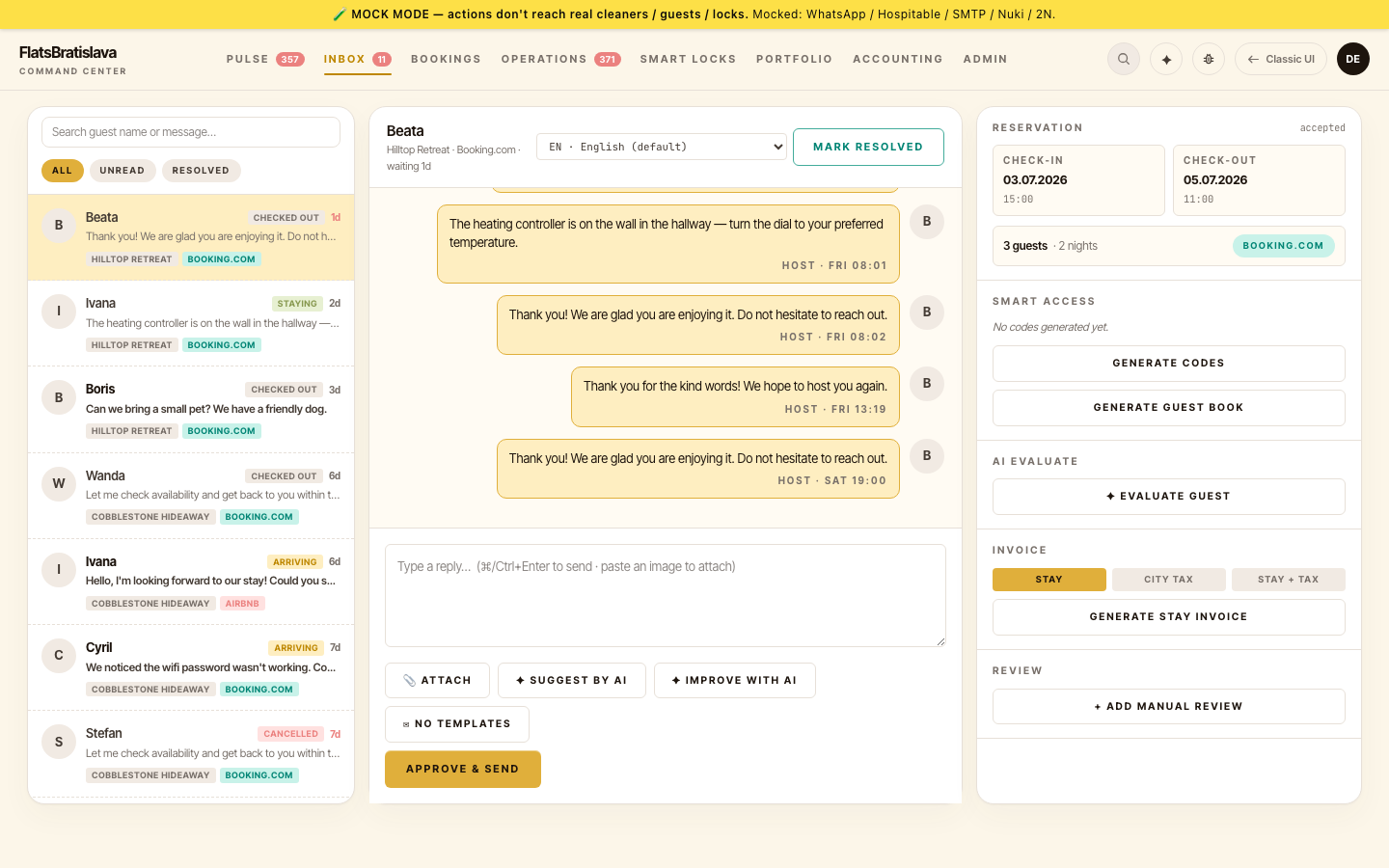
The inbox learned to search, message templates got a real editor, and the full guest picture opens right from your agenda.
🔍 Search across guests and messages →
Type a name, a phone number, or a phrase from any conversation — the inbox finds it across all your threads, with the match highlighted.
✉️ Message templates, beautifully editable →
Check-in instructions, thank-you notes, parking guides — every guest-facing text now has a proper editor with placeholders and per-property overrides. No more hunting through settings.
🪟 The full guest picture, one click away →
Opening a conversation from your dashboard now brings the complete reservation context along — contact details, dates, financials, access codes and AI insights in one panel beside the chat.
📰 Follow what ships →
A public changelog page shows every release — share it with your team or check what's new over morning coffee.
The week the dashboard grew wings
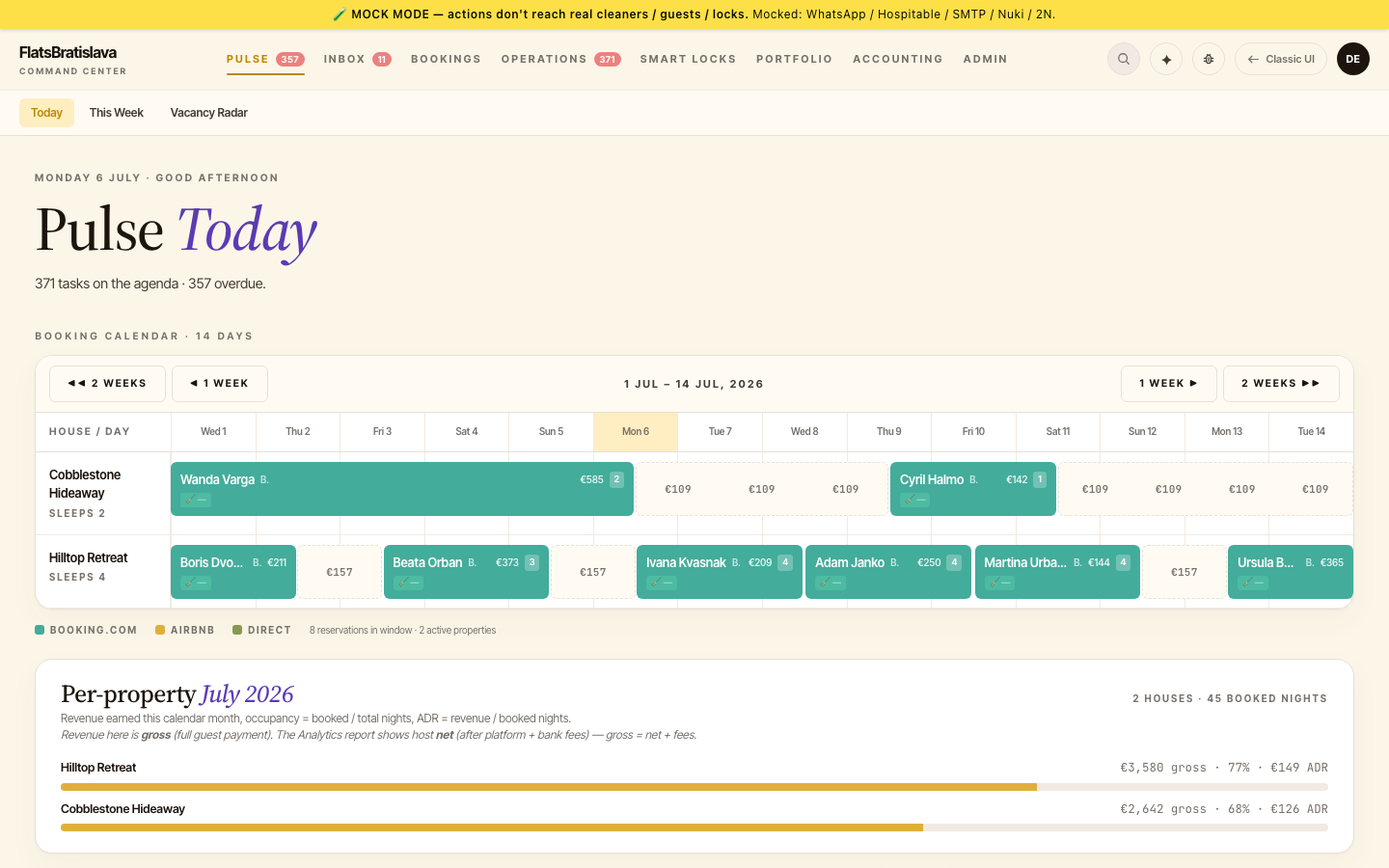
The daily dashboard became a command center: vacancy intelligence inside the calendar, conversations one click from any task, and a faster cleaning flow your team will feel immediately.
📅 Vacancy radar inside the calendar →
Open gaps of two nights or more light up right in the booking calendar, with promotion status at a glance — spot the revenue leak before the weekend does.
📸 Paste screenshots into the Copilot →
Show the AI what you see: hit paste and the image lands in the conversation, ready to be discussed — exactly like a modern chat app.
💬 Conversations one click from any task →
Every task card carries a chat icon — the guest's conversation slides in from the side without leaving your agenda.
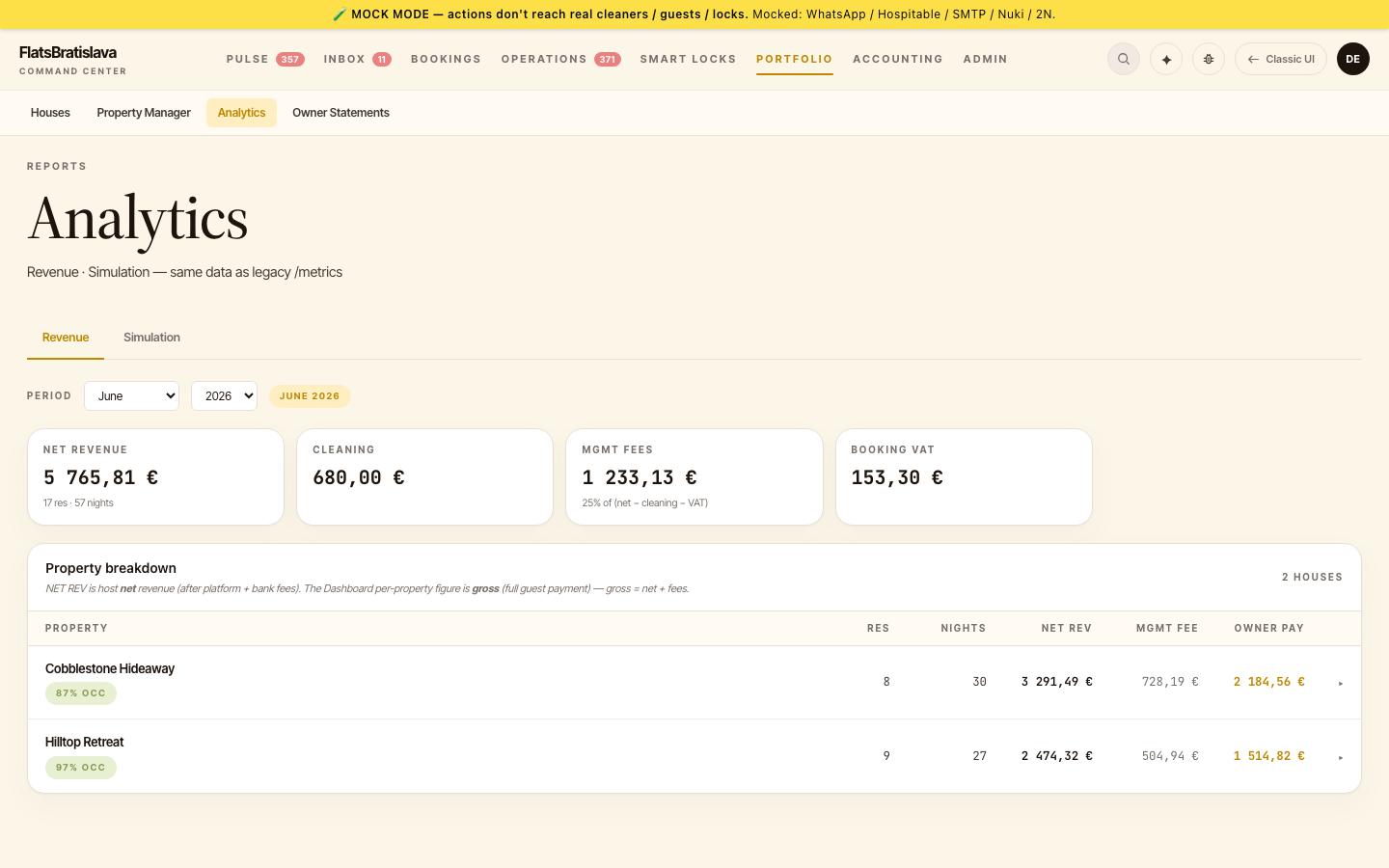
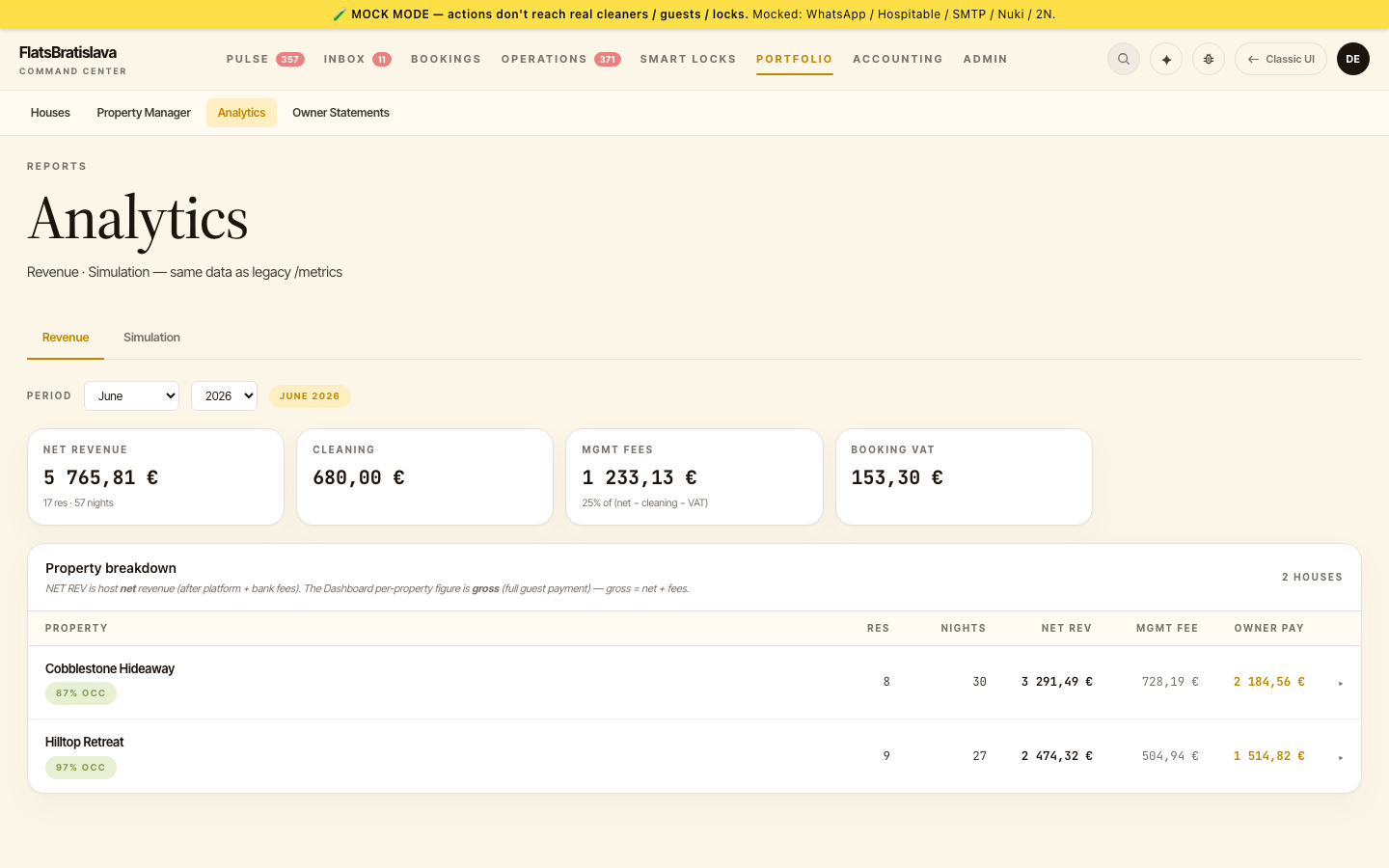
📊 Revenue and simulation reports →
Net revenue, cleaning and management fees, city tax, per-property breakdowns and a what-if simulation — the numbers that drive decisions, all in the app.
🔋 Lock battery, on the record →
Charging history per lock shows every battery event with timestamps — know which locks were serviced before a guest ever stands at the door.
🧹 A faster cleaning walkthrough →
Checklist steps appear instantly, photos attach without extra taps, and special requests arrive translated into each cleaner's language.
Your accountant will love you
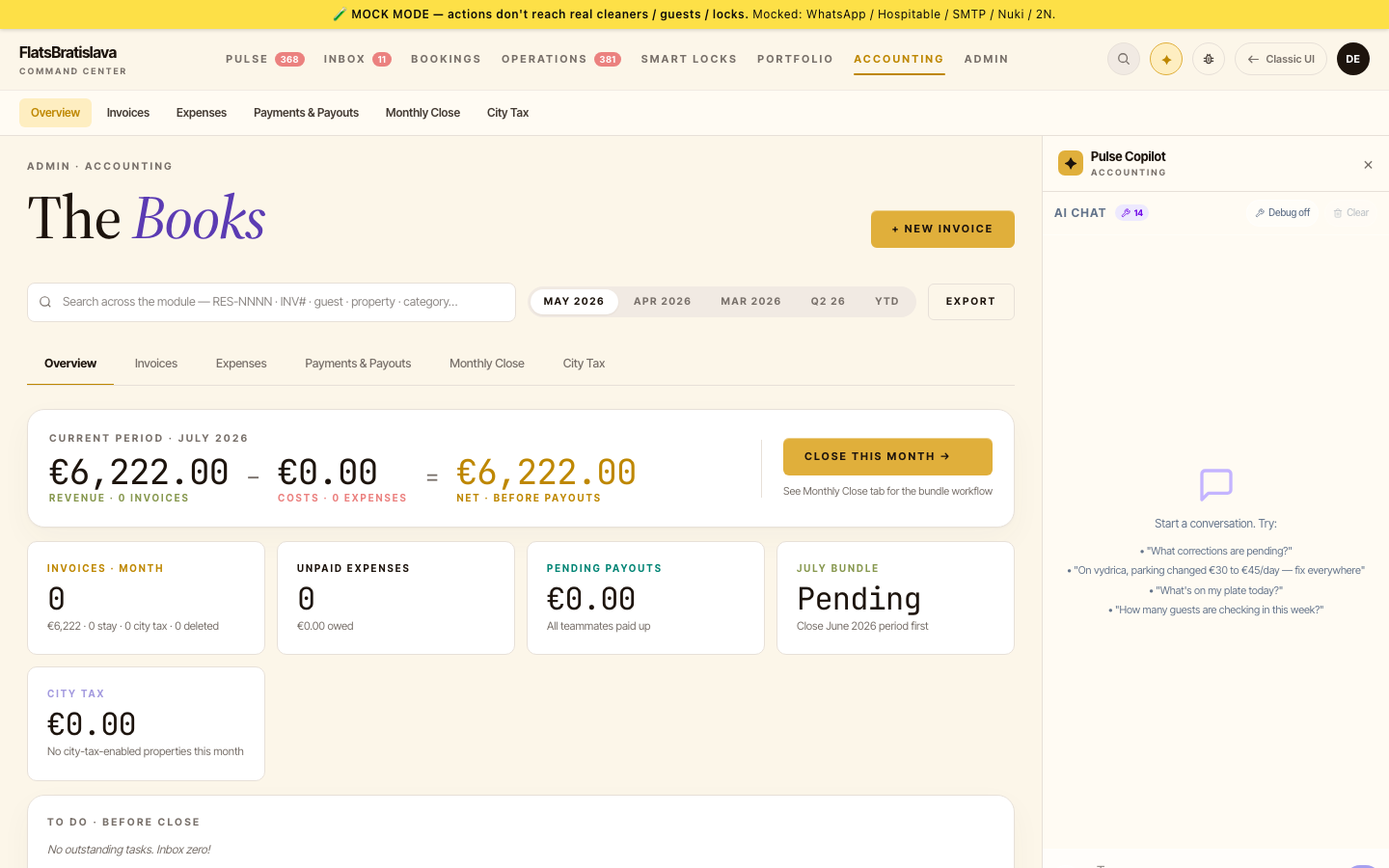
Bookkeeping used to be the worst weekend of the month. Now it's a button.
🧾 One-click accounting bundle →
Every month, the platform composes a complete accounting package — sales invoices, platform statements, commission documents and bank movements — and can email it straight to your accountant on schedule. ISDOC files import directly into Slovak and Czech accounting software.
🏦 Statements read themselves →
Upload a Booking.com payout statement, an Airbnb earnings report or a bank PDF — the platform parses them into clean, matched records. No more retyping numbers.
💶 City tax, computed →
Cross-property city-tax reports with per-platform rules — the numbers your municipality wants, without the spreadsheet gymnastics.
🔁 Recurring expenses on autopilot →
Rent, utilities, subscriptions — define them once and they book themselves every month.
📅 A dashboard that plans your day →
Today's work now arrives grouped into four clear lanes — what's due, what's coming, what resolved itself, and what needs you — on the dashboard and in your morning WhatsApp summary.
Your cleaning team's new copilot
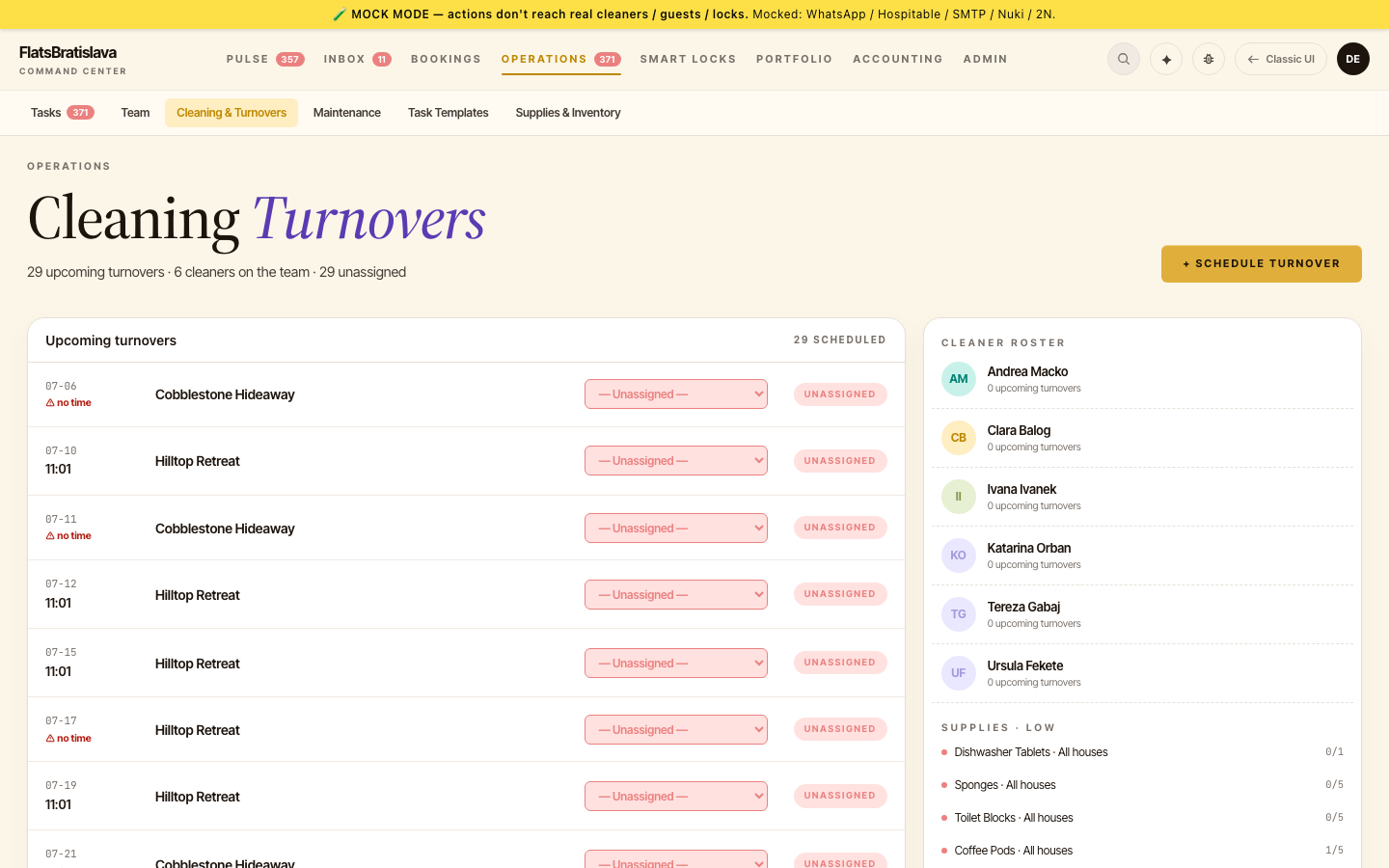
Cleaners don't open dashboards. They open WhatsApp — so the whole cleaning workflow lives there now.
🧹 The cleaning copilot speaks WhatsApp →
Cleaners text "plán" and get their week — properties, dates, cleaning windows — in their own language. Off-script messages get a warm, helpful answer instead of a robotic error.
📦 Stock counts from the apartment →
A quick supply-check conversation lets cleaners recount what's on the shelf right from the property — the inventory updates itself, skips included.
📖 A cleaning manual that travels →
Every property gets a beautiful public cleaning manual — step photos included, machine-translated into your team's languages, one link away on any phone.
🖼 Show the AI what you mean →
Attach a photo to your AI chat — a broken lamp, a receipt, a screenshot — and the assistant sees it, understands it and acts on it.
Automations that build themselves
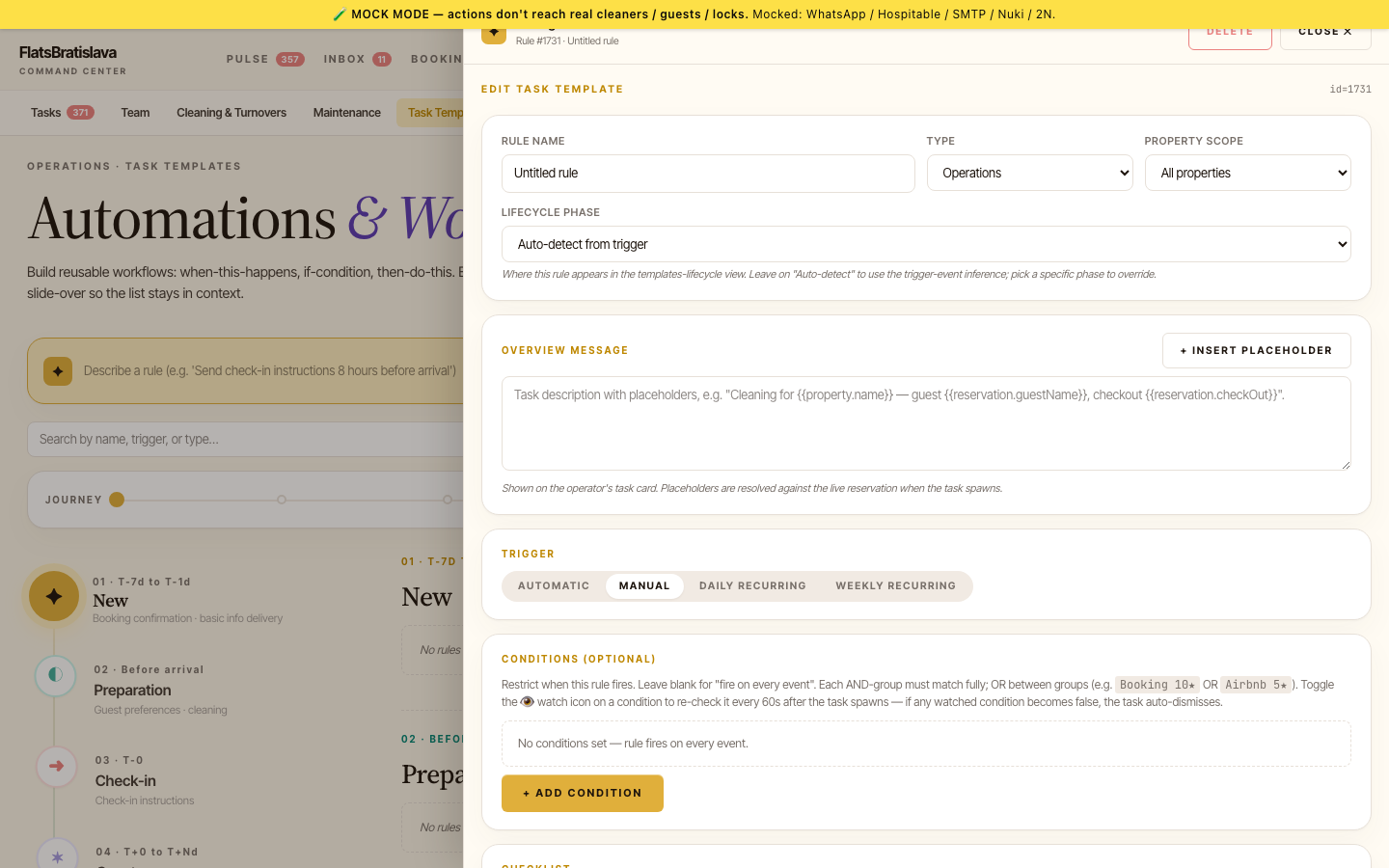
Describe the automation you want in a sentence — the AI assembles it.
🤖 AI builds your automations →
Type "remind guests about parking the day before arrival" and the AI Task Builder creates the full automation — trigger, timing, conditions, message — ready to review and activate. It can update existing automations the same way.
🎛 Buttons you design yourself →
Task cards can now carry your own action buttons — with smart placeholders that pre-fill guest names, dates, codes or any detail from the reservation.
🧠 The AI reads the mood →
Every guest conversation is analysed for mood and intent — so you see who needs attention before it becomes a review.
🕰 Test with history →
Try any automation against a past reservation and watch exactly what it would have done — before it ever touches a real guest.
Supplies, timelines and smarter properties
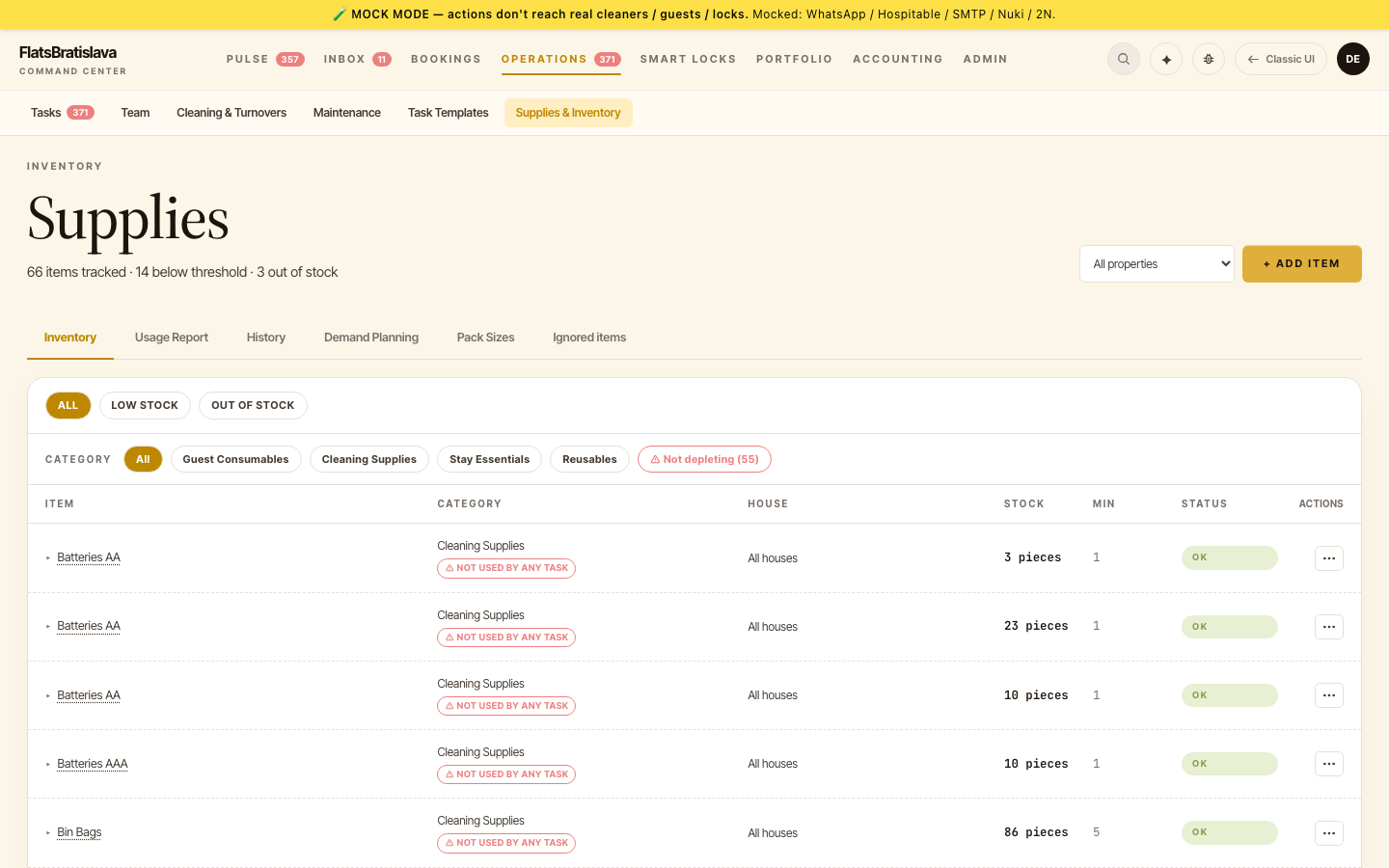
Inventory stopped being a guess, and the calendar learned to tell stories.
📦 Supplies management arrives →
Track stock per property, add deliveries by photographing the receipt, and let low-stock levels create restock tasks automatically — toilet paper never surprises you again.
📅 The reservation timeline →
A horizontal calendar shows every property's bookings at a glance — same-day turnovers split neatly in half, and one click opens the guest conversation.
🏠 Properties that sync themselves →
Amenities, room details and capacity flow in from your channel manager automatically — your listings and your operations finally agree.
🔑 Team access codes in one click →
Generate door codes for a teammate across all of a property's locks — smart lock and building entrance together.
Every task ends with the right action
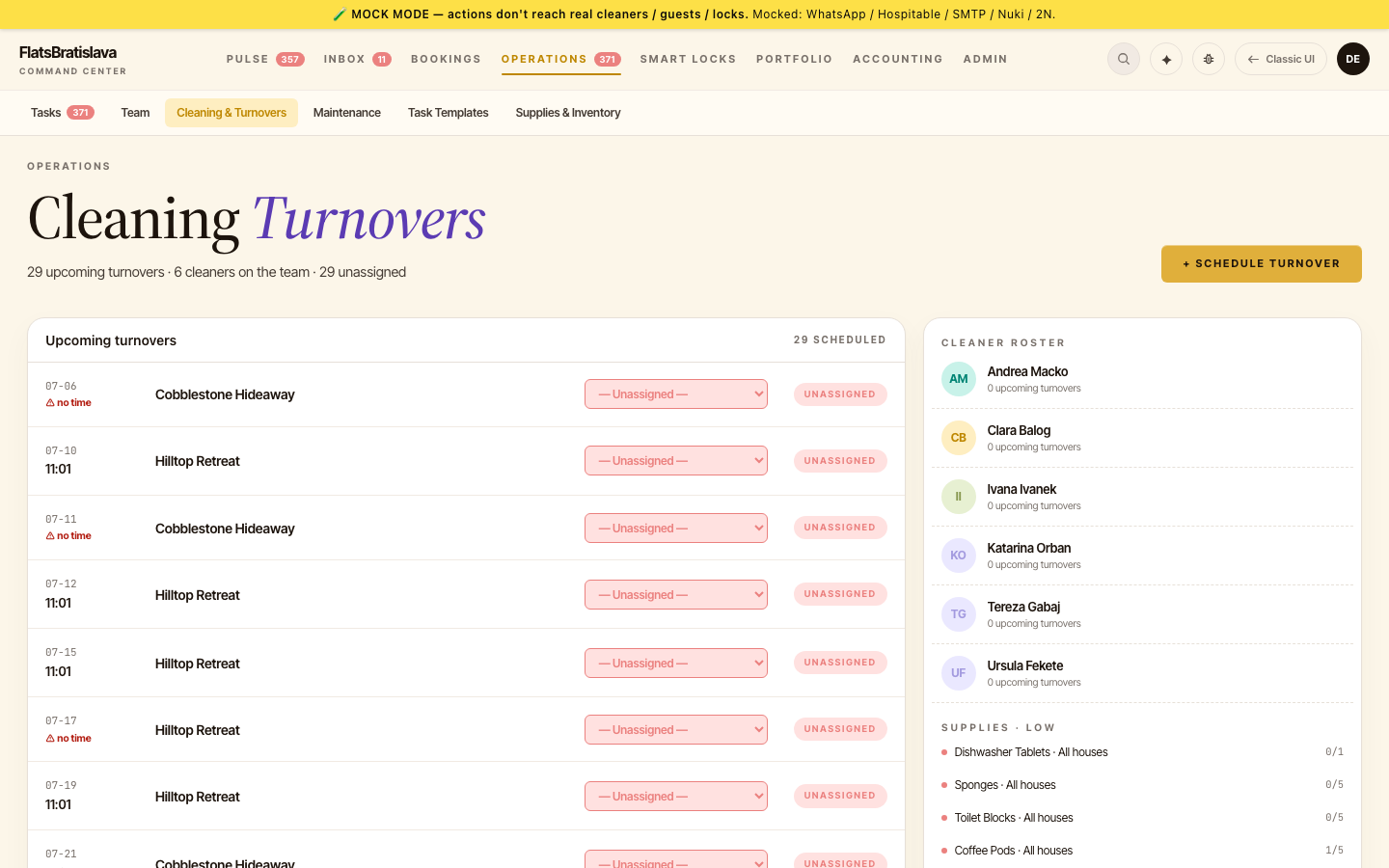
Completing a task can now do the work for you.
⚡ Actions on completion →
Finishing a task can send the guest a message, update the reservation, or revoke access codes after checkout — automatically, in any combination.
💬 Reply with a template, anywhere →
Answer guests from the dashboard or straight from WhatsApp with your saved templates — in the guest's language, images included.
🗂 Money trail, complete →
Payment history per teammate, one-tap "mark paid", and expenses that flow from receipts to reports.
🛡 Daily backups, automatic →
Your data backs itself up every day — restore points you'll hopefully never need, there when you do.
Your operations, on WhatsApp
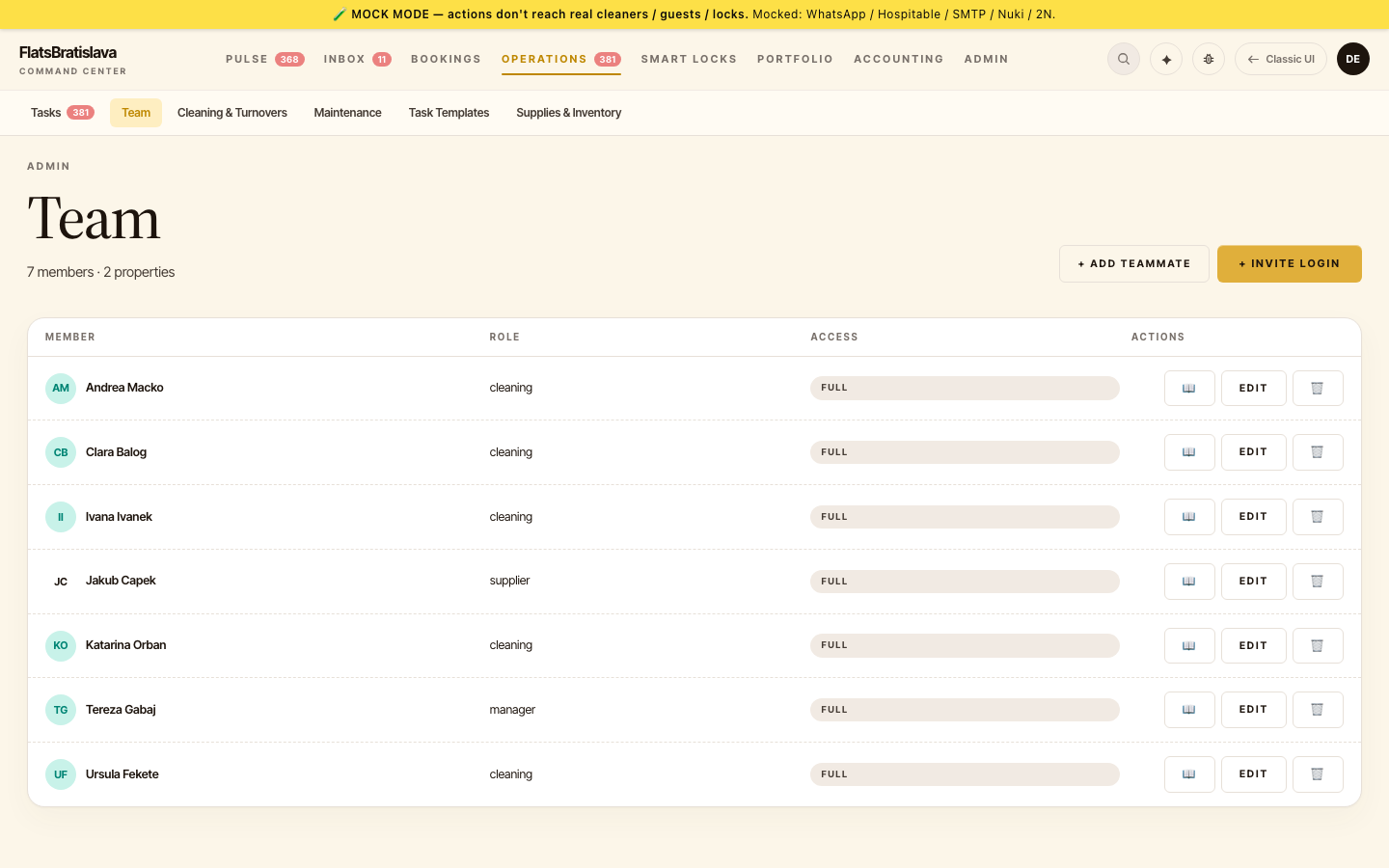
The operations center opened — and it reports to your pocket.
👥 Team management arrives →
Teammates with roles, availability days, priorities and per-role rates — the whole crew, organised in one place.
🤖 Tasks that create themselves →
Define rules once — "cleaning after every checkout", "welcome message on arrival day" — and tasks appear on schedule, pre-filled and assigned.
📱 Your morning briefing on WhatsApp →
Every day at 9:30, WhatsApp delivers your day: check-ins, checkouts, due tasks — with interactive buttons to act right from the chat.
🧾 Receipts become expenses →
Photograph a receipt and the AI turns it into a categorised expense — supplier, amount, VAT — no typing.
Know your market
Price with data, not gut feeling.
🔍 Price research across platforms →
See what comparable apartments charge on Booking.com and Airbnb — matched across platforms, mapped by location, tracked over time.
📈 Market trends at a glance →
Price history and trend views show where your market is heading — and where your rates should be.
🗓 Availability calendar with direct bookings →
Manage pricing, block dates and record direct reservations on one calendar — no channel required.
The AI joins your inbox
Guest messaging got a brain and a beautiful new face.
✨ AI-suggested replies →
Every guest message arrives with a suggested answer drafted from your property knowledge — review, tweak, send. Minutes per message become seconds.
📚 The Knowledge Hub →
Teach the platform about each property once — house rules, parking, quirks — and every AI answer draws on it.
🔐 Team logins with roles →
Managers and owners get their own accounts with the right level of access — no more shared passwords.
🎨 A calmer, glassier design →
Reports and messages moved into a cleaner three-pane layout that stays readable on a busy day.
Price intelligence, built in
Two weeks in, the platform learned what your nights are worth.
💡 Base prices from real data →
The platform derives each property's true base price from months of calendar data — outliers removed, weekends split — so every pricing decision starts from reality.
🏷 See your prices as guests do →
Live checks of your Booking.com and Airbnb listings reveal the price guests actually see — promotions detected, gaps flagged.
🔮 Revenue simulation →
Model next season before it happens: occupancy assumptions in, projected revenue out.
📥 Bring your history along →
Import past Booking.com and Airbnb reservations so your reports start with the full picture, not from zero.
Where it all began
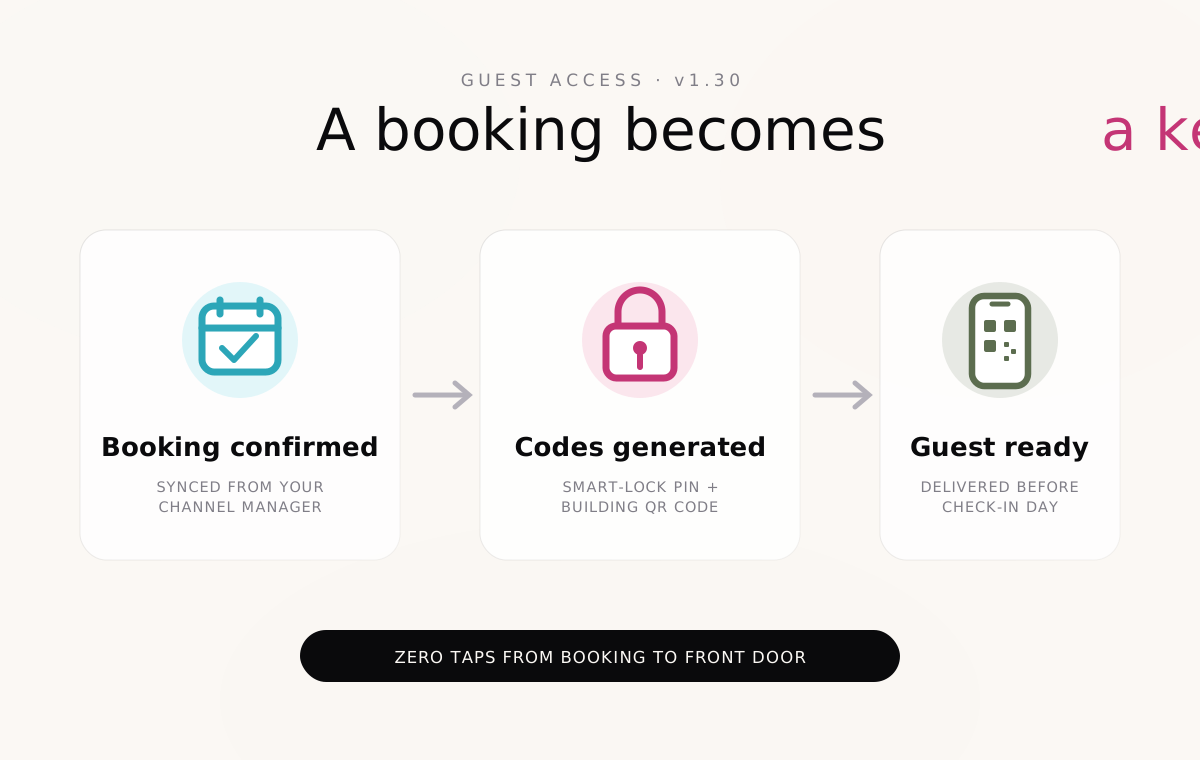
The first release: guest access that handles itself.
🔑 Automatic guest access →
A confirmed booking generates everything a guest needs to get in — a personal smart-lock PIN and a building-entrance QR code — delivered without you lifting a finger.
🔗 Connected to your channel manager →
Reservations flow in from your channel manager the moment they're booked — names, dates and stays, always in sync.
📊 The first revenue report →
Nights, fees, platform commissions and your actual payout — per property, per month, from day one.
💬 Guest messages, measured →
Every conversation tracked with response stats and ratings — the foundation everything since is built on.